How Email Actually Works
Email is a technology that you use every single day. It is actually very interesting how emails are handled behind the scenes and reach the recipient’s mailbox. In this post I’ll explain it in a simple way.
Basic Terminologies
These are some terms that you must know before reading this post.
- SMTP: Simple Mail Transfer Protocol. An application-layer protocol used to submit, transfer, and relay email. SMTP is commonly carried over TCP.
- Mail Server: A system that can accept, relay, store, filter, or deliver email. Different components can perform different parts of this work.
- MX Record: A DNS record that identifies the mail exchanger hostname responsible for receiving mail for a domain. That hostname is then resolved to an IP address using address records such as A or AAAA.
- MTA: Mail Transfer Agent is a server component that is responsible for transferring email from one server to another (for example, from Gmail Server to Yahoo Server).
- DKIM (DomainKeys Identified Mail): A cryptographic signing mechanism that lets a receiving system verify that selected parts of a message were signed by a domain.
- DMARC: Domain-based Message Authentication, Reporting, and Conformance. It defines a policy and reporting mechanism and uses identifier alignment with SPF and/or DKIM.
- SPF: Sender Policy Framework. It lets a domain publish which hosts are authorized to send mail for that domain.
It’s okay if you did not understand any terminology completely. They are discussed in depth later in this post.
TLDR; Overview
This section is a quick overview of the complete process. The sections below explain each component in more detail.
A mail system can accept, queue, relay, filter, store, and deliver email. If you send a message from john@gmail.com to kevin@yahoo.com, Gmail accepts the message and eventually transfers it to a mail server responsible for yahoo.com.
Let’s say there are 2 friends who are sending and receiving emails.
- John (john@gmail.com)
- Kevin (kevin@yahoo.com)
John uses the Gmail web client to compose the message. When he presses Send, Gmail receives the message and handles submission and delivery using its mail infrastructure. SMTP is one of the protocols used for mail transfer. After the Gmail server receives the message, it can apply spam and abuse checks. During delivery, SPF, DKIM, and DMARC can also be evaluated according to the sender, receiver, and domain configuration. If everything works fine and the email is valid, Gmail will find the mail server for Yahoo and transfer John’s mail to the Yahoo mail server.
Why Yahoo? Because the recipient is using Yahoo (kevin@yahoo.com)
Now everything will be handled by the Yahoo Mail Server, and email will be delivered to Kevin’s inbox.
Architectural Diagram
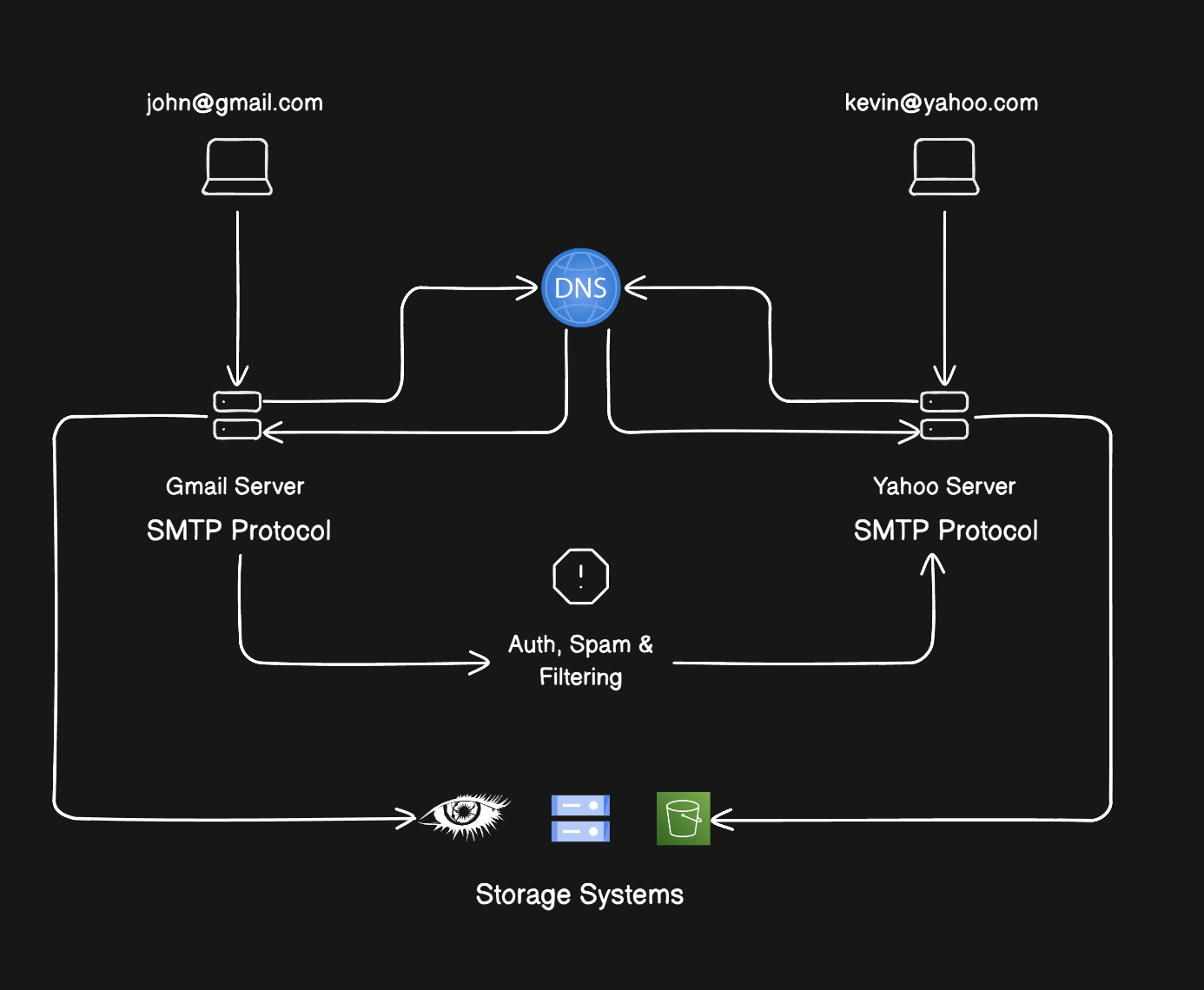
Okay, now let’s discuss each step in detail. I would like to mention that I’m writing this post according to the most common way in which mail servers operate. Although different companies have different implementations, the core idea is the same.
SMTP
SMTP defines how mail is submitted and transferred between mail systems. Server-to-server SMTP commonly uses TCP port 25; mail submission commonly uses ports such as 587, with 465 also used for implicit TLS submission. The exact endpoint and authentication requirements depend on the provider.
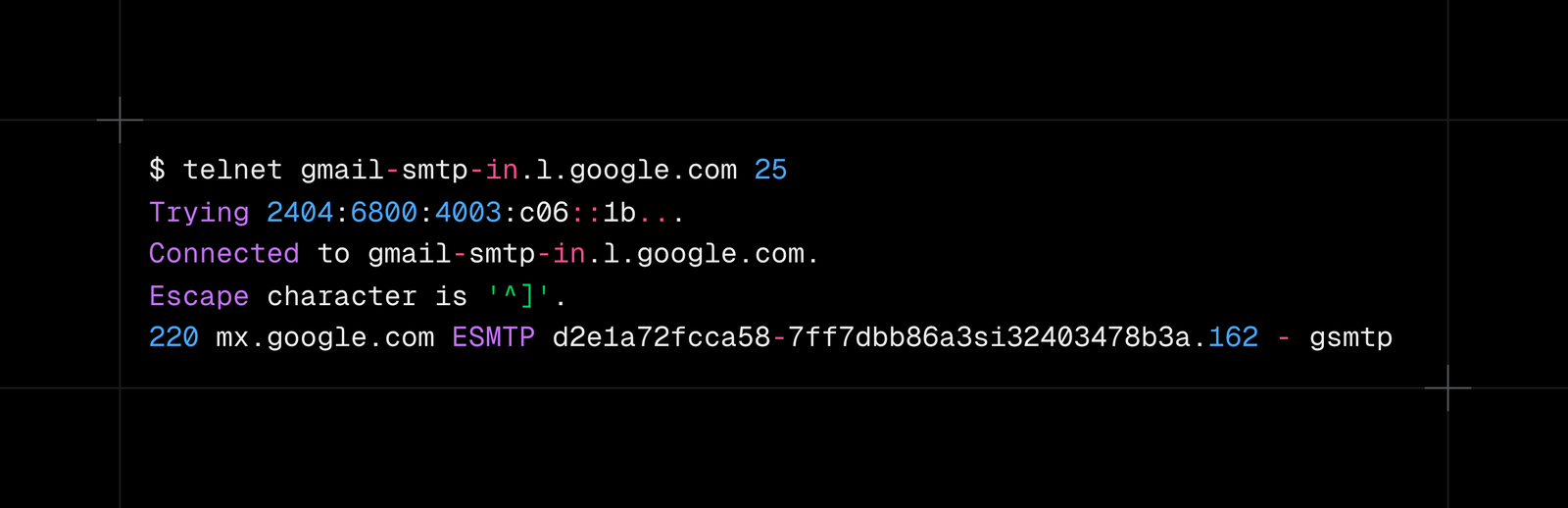
Then we can send the following SMTP commands to a server:
-
HELO / EHLO
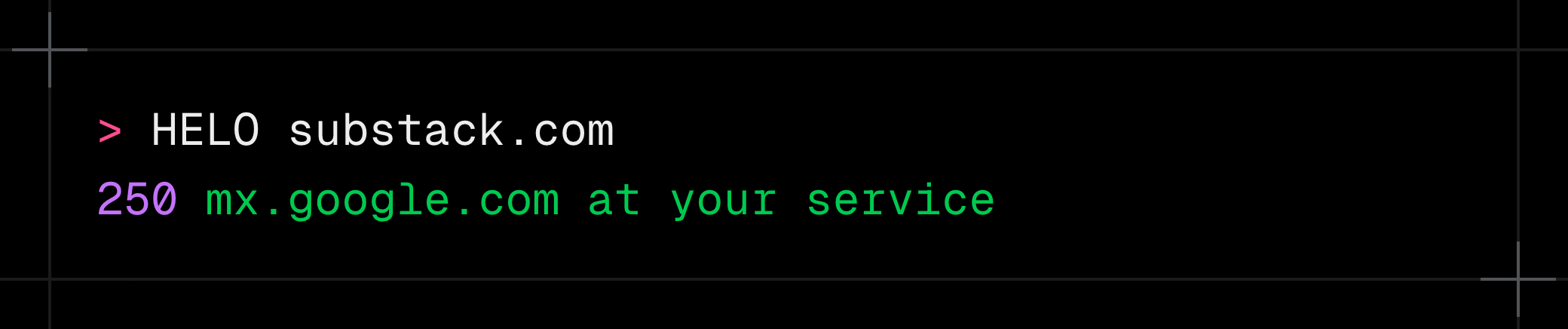
It is used to identify the client to the server and negotiate SMTP extensions. The server responds with its SMTP greeting or extension capabilities.
-
MAIL FROM
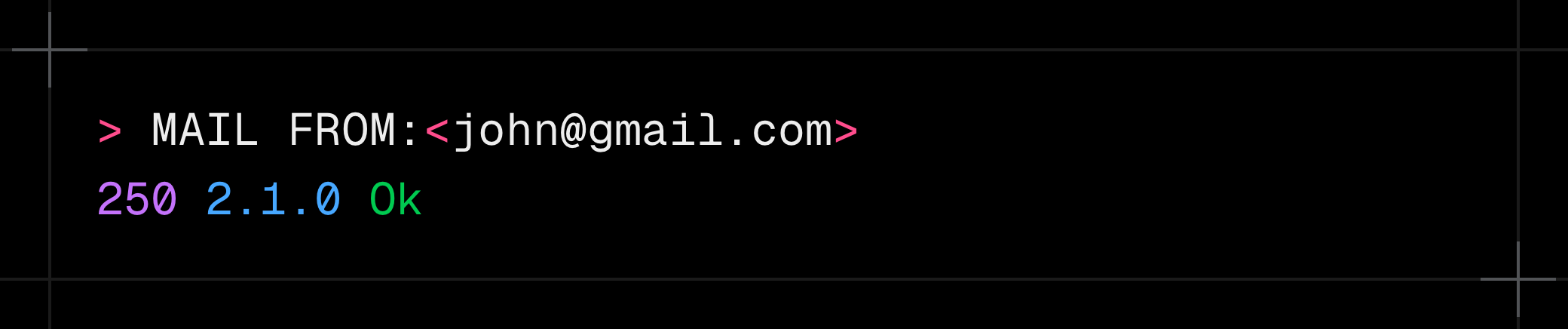
Specifies the envelope sender address for the message.
-
RCPT TO
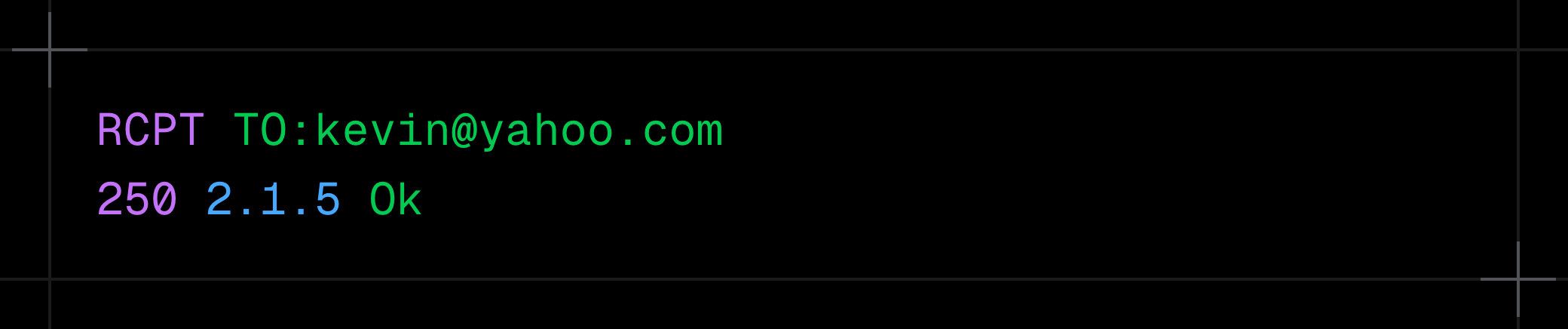
Specifies an envelope recipient address.
-
DATA
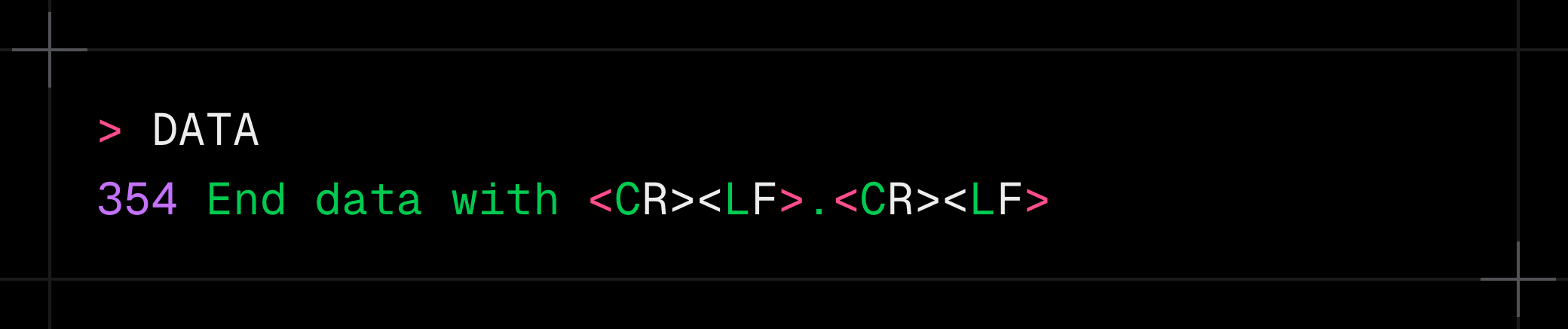
The server tells the client to start sending the message contents. The client then sends the message data.
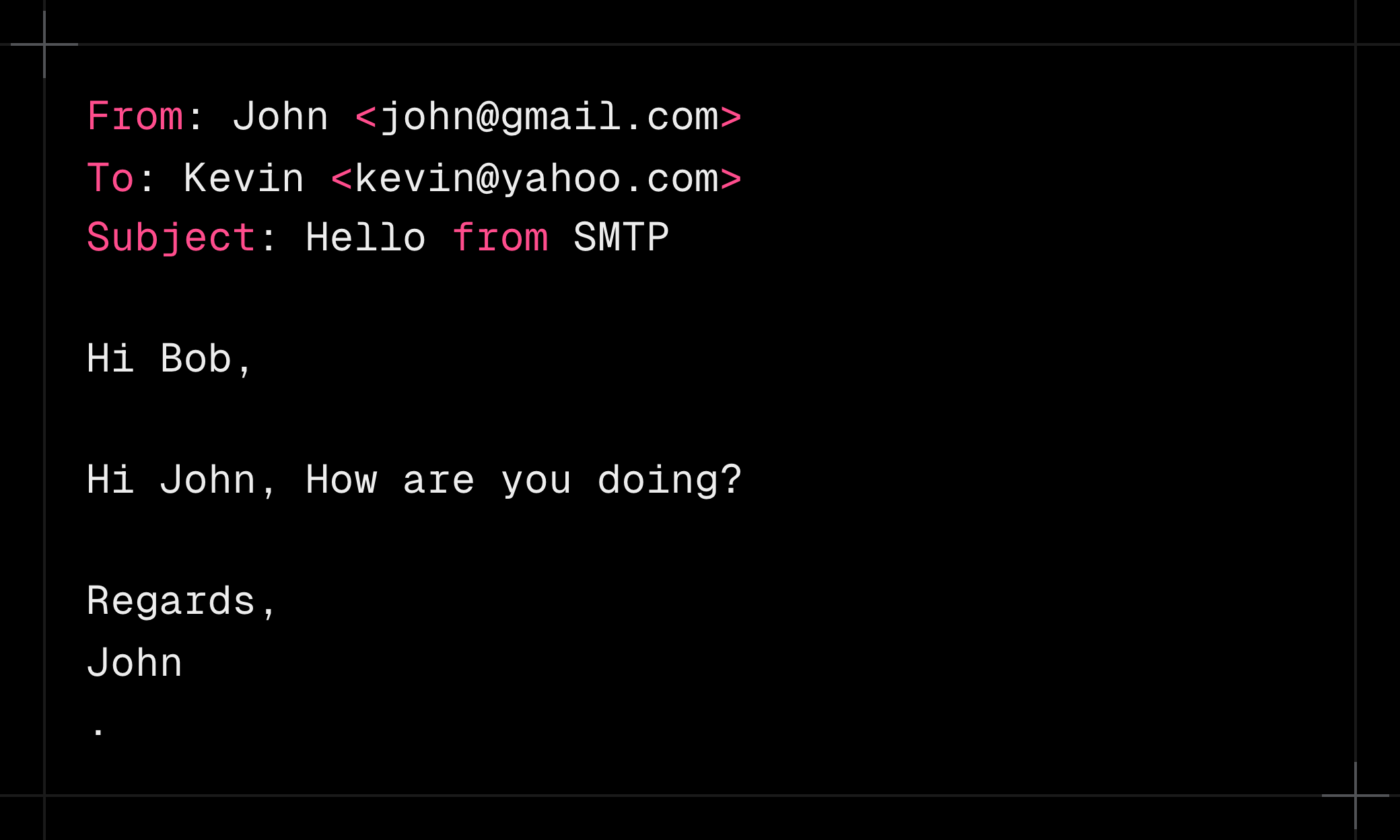
A line containing only
.marks the end of the SMTP message data. The server then returns a status response.
-
QUIT
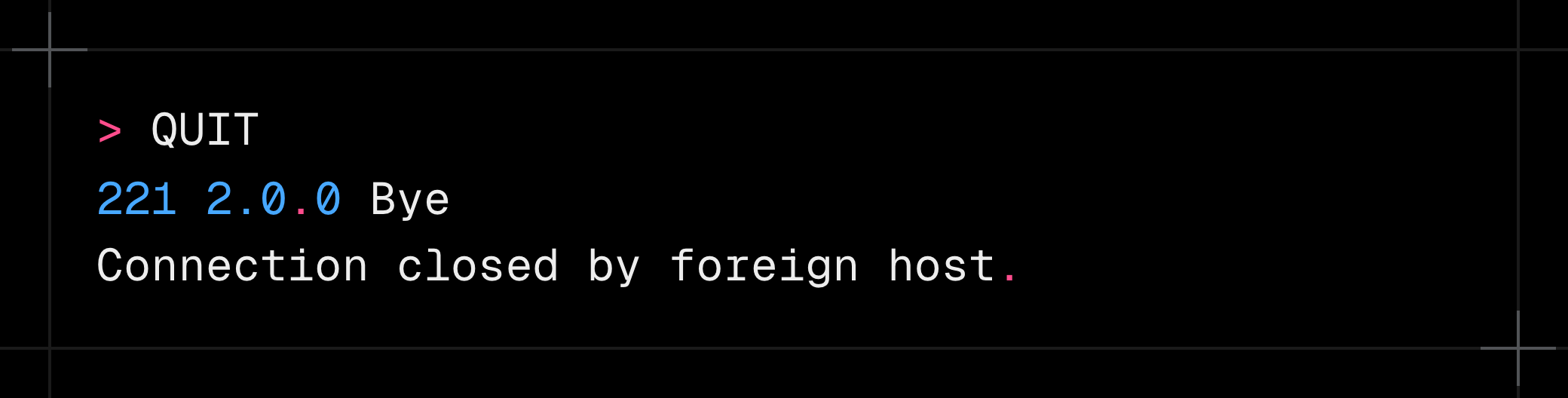
Closes the SMTP session.
That is how a message can be submitted to a mail server using SMTP. From here, the mail system handles storage, queuing, filtering, and delivery.
Storage
Email is now stored in the Gmail server, and the server will extract metadata from it. Metadata include FROM, TO, etc.
Some mail servers store mail directly in the filesystem, and others use distributed object storage such as AWS S3.
Queuing
When a mail server accepts a message, it may respond that the message has been queued rather than immediately delivered. Mail systems can receive large volumes of mail, so they queue messages and retry delivery when necessary.
DNS & DNS Record
To deliver email, the sending system needs to discover which mail servers accept messages for the recipient’s domain. DNS provides the records needed for that lookup.
DNS (Domain Name System) maps names to different kinds of records. A and AAAA records can provide IP addresses, while MX records identify mail exchangers for a domain. That’s why you see that we can connect using telnet
A DNS record is published data associated with a domain. Different record types provide different information, including address records, MX records, SPF policies, DKIM public keys, and DMARC policies.
MX Record
Earlier I said that mail servers work by transferring mail to each other via SMTP connection, which works by connecting to TCP on port 25.
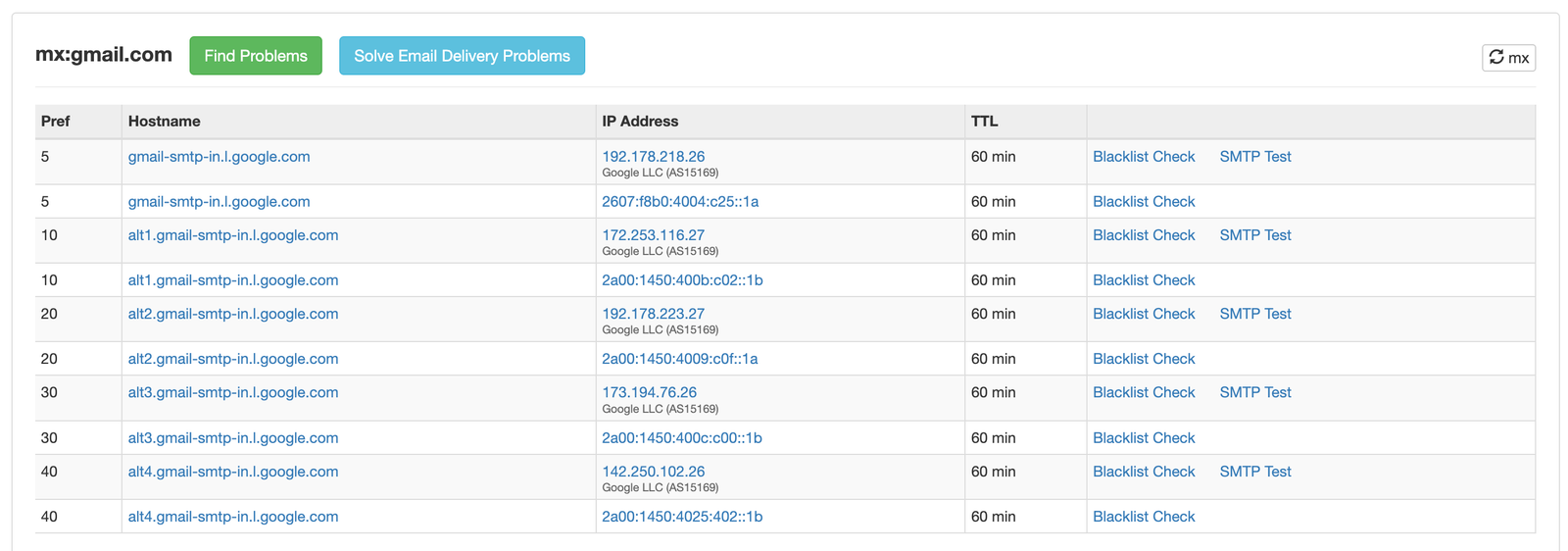
But how does a sending mail server know where to deliver mail for a domain? This is where MX records come into play. Domains that receive mail normally publish MX records in DNS. Sending mail servers query those records to determine which mail exchangers to contact.
You can check the MX Record for any domain here.
And here are Gmail mail server domains.
Authentication
SMTP transfer between mail servers is not the same thing as authenticating an end user. For example, a mail submission service may authenticate the sender, while the receiving system later evaluates SPF, DKIM, and DMARC when deciding whether to trust the message.
DKIM
DKIM uses a private key to create a cryptographic signature and a public key published in DNS for verification. The receiving system verifies the signature against the signed message data. In our case the sender is the Gmail server, and the receiver is the Yahoo server.
-
An email is sent to Gmail via SMTP.
-
Gmail stores that email somewhere.
-
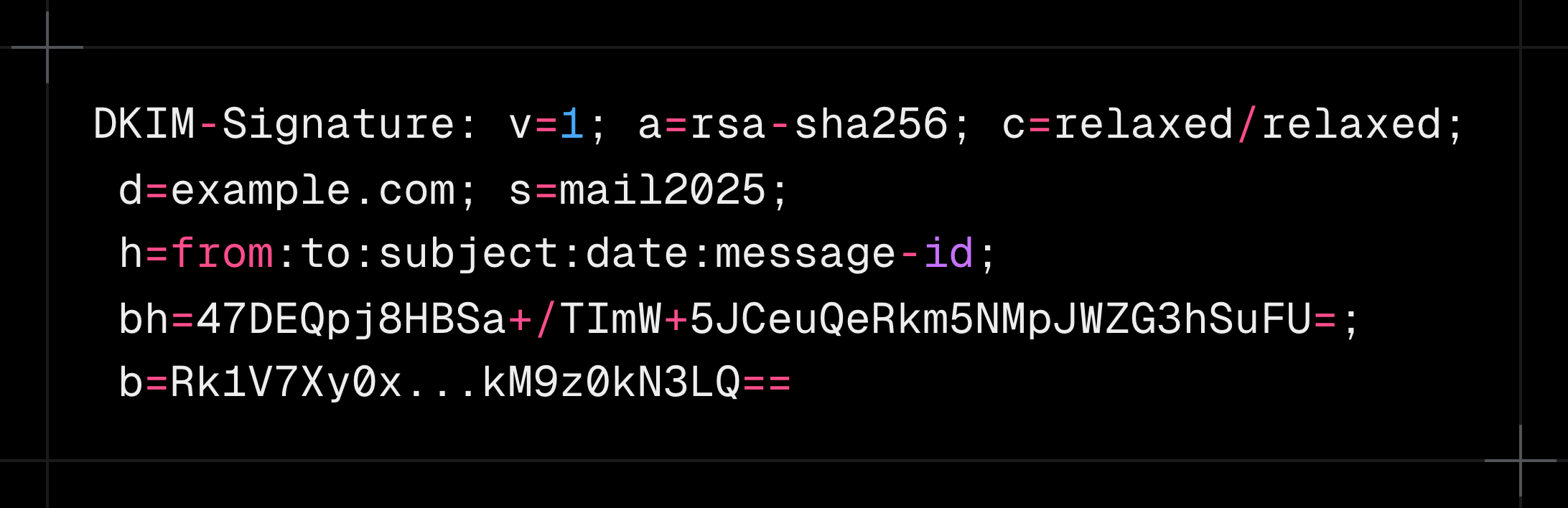
The sending system creates a DKIM signature over selected message headers and the message body using a private key, then adds a DKIM-Signature header. This header looks like the image below.
-
When the message reaches the receiving mail server, it verifies the DKIM signature using the public key and checks the body hash represented by the
bhvalue. -
A DKIM verification failure does not automatically mean the message must be rejected; the receiving system can use the result as one input to its filtering and DMARC policy decisions.
But how does the receiver know the sender’s public key?
This is where DNS records come into play. The sender domain (gmail.com in our example) must publish a DNS record with a public key and selector. The selector is used to know which public key to use in case the mail server has multiple.
The image below shows a DKIM public key DNS record.

The receiving mail server queries DNS for the sender domain and selector to obtain the public key.
SPF
SPF is evaluated by the receiving mail system. It checks whether the sending IP is authorized by the sender domain’s published SPF policy.
When Gmail transfers the john@gmail.com email to kevin@yahoo.com, it will need to again open an SMTP connection to the Yahoo Mail Server. At this time Yahoo knows from which IP the email is coming (which is the Gmail IP).
Yahoo will extract the recipient email and then the domain name (gmail.com in our case). Again, it will query the DNS record for Gmail and search for an SPF record that looks like the below image.

An SPF record can authorize addresses directly or authorize other mechanisms such as included policies and domain names. If the sending IP is authorized by the domain’s SPF policy, SPF passes. A failure can influence filtering or DMARC policy, but it does not universally mean the message will be rejected.
DMARC
DMARC is not itself a cryptographic authentication mechanism. It defines policy and reporting around SPF and DKIM results, including identifier alignment.
The receiving system queries the sender domain’s DMARC policy and evaluates SPF and DKIM results together with identifier alignment. The policy can request actions such as monitoring, quarantine, or rejection, depending on the published DMARC record.
Final Step
If the message passes the receiving system’s checks and is accepted, the provider stores it in its mailbox infrastructure. The exact storage architecture is provider-specific and is outside the scope of this article.
How Do We See Email?
This question might come to your mind. How do we see the email stored on the mail server? This is where two other protocols and a GUI client are used.
The recipient’s mail client fetches mail via:
- IMAP (sync mailbox)
- POP3 (download mail)
These protocols are outside the scope of this post, so I will not discuss them here.